|
|||||||||
|
Create image file format from Linux command line |
|||||||||
|
You are here: Tutorials > Create image file format from Linux command line |
|||||||||
|
|
|||||||||
|
PowerISO for Linux can create ISO image file from local files and folders. The output file format can also be daa, or bin / cue format. Usage: poweriso create [-switches] You may find detailed command line parameters for
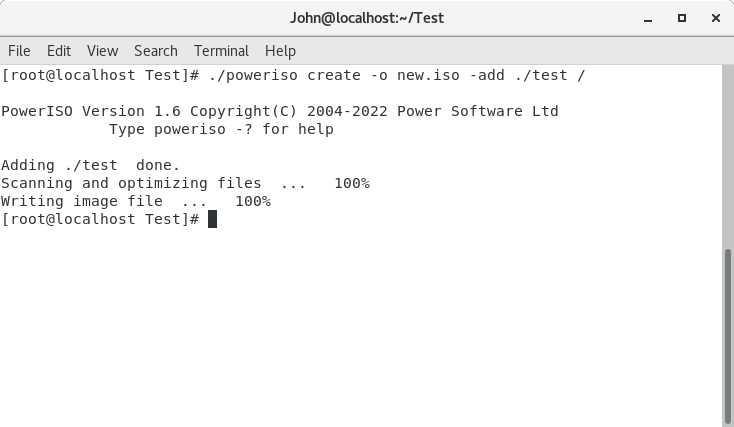
"Create" command by typing ./poweriso -? Example1: Create ISO file from Linux command line. All files and folders in ./test will be added to the output ISO file. Command: poweriso create -o new.iso -add ./test /
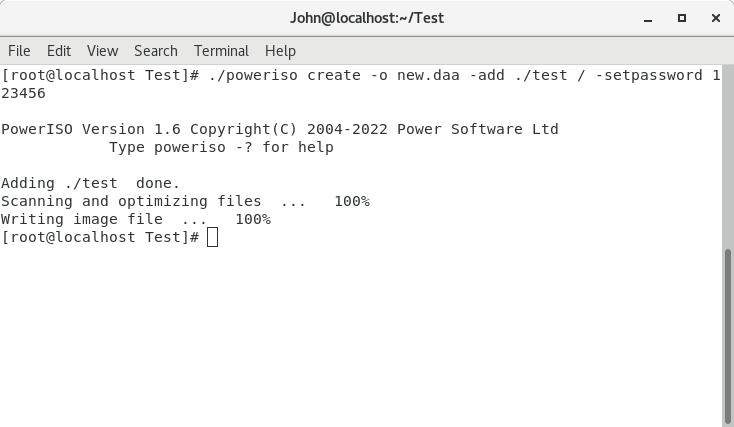
Example2: Create daa file from Linux command line. A password was added to protect the output daa file. Command: poweriso create -o new.daa -add ./test / -setpassword 123456
|
|||||||||
|
Copyright 2004-2025 PowerISO.com All rights reserved. |
|||||||||